This page consists of solutions, rationale, and the code behind web accessibility style solutions, organized by category.
Header/Masthead
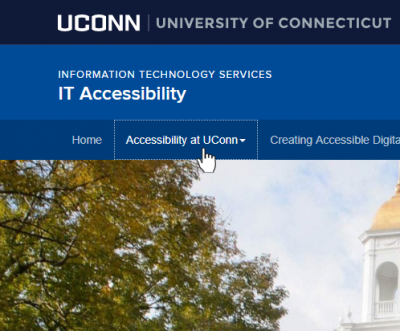
Solution
Ensure that information is identified through more than just color. Examples include underlining links, boxing focused items, and cursor changes. If the issue is software-based, it may require changing software (for example, using a fully accessible media player instead of a player that uses only color to provide information).
Rationale
If a user cannot see color, it will be impossible to identify the function of information shown only in color. Information conveyed by color must also conveyed by an alternative method not dependent on color perception. In this solution, the page title is underlined on hover, a visual indicator other than color changing.
View Code
/*======================Header/Masthead=======================*/

#site-title {

background-color:#004b98

}

#uc-site-parent a {

color:#fff!important

}

#uc-site-parent a:hover {

color:#fff!important

}

#nav-wrapper {

background-color:#003c79;

color:#fff!important

}

#masthead #site-title .col-sm-8 #uc-site-header #uc-site-parent a {

color:#ccc!important

}

#masthead #site-title .col-sm-8 #uc-site-header #uc-site-parent a:hover {

text-decoration:underline!important

}

h1#uc-site-title a {

color:#fff!important

}

h1#uc-site-title a:hover {

color:#fff!important;

text-decoration:underline!important

}
Dropdowns
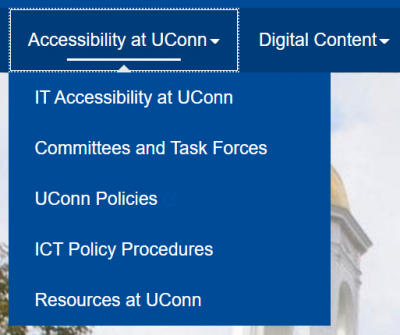
Solution
Adjust contrast to be 4.5:1.
Rationale
If a user cannot see color, it will be impossible to identify the function of information shown only in color. Information conveyed by color must also conveyed by an alternative method not dependent on color perception. In this solution, the page title is underlined on hover, a visual indicator other than color changing.